If you're running a YouTube Shopping program and treating Google Merchant Center's Creators tab like the finish line, you're leaving most of the work undone. GMC surfaces creators. YouTube itself tells you whether they can actually sell for you.
This is a tactical guide for DTC operators who've already set up YouTube Shopping and want to start building a creator roster that compounds. The click-by-click is in here. The vetting heuristics are in here. The list architecture that differentiates your commission offers is in here. What isn't here: rate benchmarks, generic influencer advice, or the pretense that finding creators is the hard part. The hard part is knowing which ones to keep.
Read the section on vetting with the last ten videos. That's where most brands get this wrong.
How the affiliate program actually works
Once your Shopify or eligible merchant account is connected in Google Merchant Center and you've set a default commission rate, a pending window aligned to your returns policy, and an attribution period, your product catalog becomes visible to every eligible creator inside YouTube Studio's affiliate hub. Creators browse, pick products, and tag them in long-form videos, Shorts, and livestreams. Attribution is last-click across a 30-day window, and commissions pay through AdSense two to four months after purchase to account for returns.
You don't invite creators through GMC. You either sit in the open marketplace where any eligible creator can choose to promote you, or you build custom lists that surface elevated commission rates to specific creators. That's the leverage point. Lists change your offer, not your discoverability.
Working the Discover creators tab
In Google Merchant Center, navigate to Marketing → YouTube affiliate → Creators. You'll land on three tabs: Discover creators, Saved creators, and Creator lists.
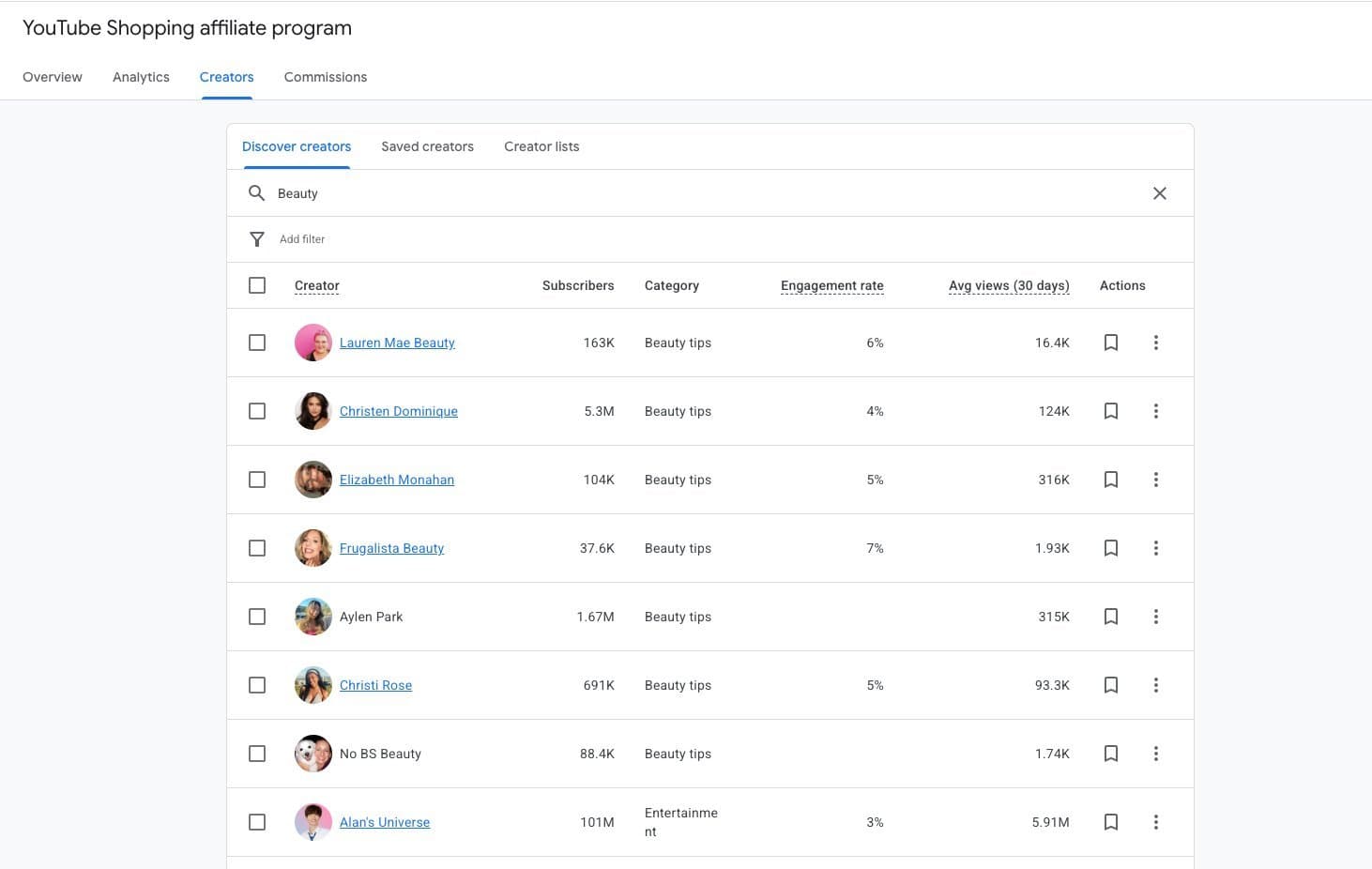
The category taxonomy is broad (beauty, tech, gaming, music, lifestyle), so specific phrases surface sharper matches. Try "small kitchen organization," "perimenopause wellness," "mens capsule wardrobe," "backcountry ski touring." Run three to five phrasings for every brief. The same creator roster rarely appears twice.
Three filter groups actually matter:
- Subscribers. Don't filter this too aggressively. You'll cut out exactly the mid-tier creators who over-perform on affiliate.
- Average views (30 days). More useful than subscriber count. Signals whether the channel is actually being watched right now.
- Engagement rate. Useful as a directional filter, less useful as a cutoff.
Audience filters (age, gender, country) only show data for creators who opted into sharing. You'll need to accept a separate terms-of-use inside GMC to see the audience panel. Do it immediately. Without it, you're flying half-blind.
The one metric most operators miss
Subscribers are a vanity number on YouTube. The platform is algorithmic, not subscriber-based. A dormant channel with a million inactive subscribers is a worse partner than a sharper channel where most of the audience actually shows up for every upload.
The metric that matters is the ratio of average views to subscribers. A creator whose recent videos consistently reach a meaningful portion of their subscriber base is signaling loyalty and algorithmic momentum. Both translate to stronger affiliate conversion. Pair that with a cadence of at least a handful of uploads in the last 90 days and you've found an active partner, not a nameplate.
The creator details panel
Clicking any hyperlinked creator name in the Discover tab opens a side panel with channel stats and audience demographics. Subscriber count, total views, total videos, top countries, and age and gender breakdowns.
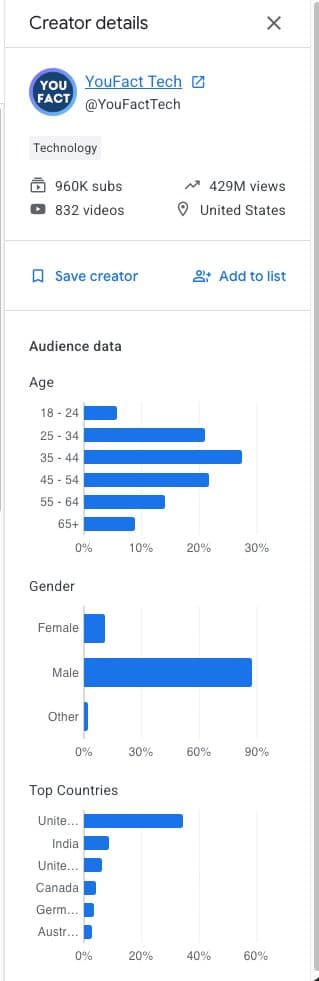
Three checks before you save anyone:
- Country fit. The affiliate program is still geographically gated. A creator whose audience is mostly outside your shipping zone is wasted inventory.
- Age alignment. Within a decade of your ICP, ideally tighter.
- Gender skew that matches product use. Not product marketing. Product use.
If the creator is promising, click Save creator to park them in the Saved creators tab. Think of it as your research bench. No commission implications yet. This is where you hold candidates while you do the real vetting.
Vetting beyond GMC (the part most operators skip)
GMC tells you who a creator is on paper. YouTube itself tells you whether they'll be a good partner. This is where deals are actually won or lost.
GMC tells you who a creator is on paper. YouTube itself tells you whether they'll be a good partner.
The last ten videos
Open the creator's channel and pull their last ten uploads into a tracker. For each one, note the publish date, format (long-form or Short), views, likes, and comments. Drop the top and bottom outliers. The middle cluster should sit within a few multiples of each other.
A channel where one video went viral and the rest cratered is either a one-hit wonder or inconsistent. Compare the most recent three uploads against the prior seven. A clear downward trend is a warning. A flat or upward curve paired with consistent cadence is the green light. Most brands look at the top-performing video on a channel and assume it's the baseline. It isn't.
Persona matching
There's a difference between the audience a creator speaks to and the audience that actually subscribes. A channel that blew up on Shorts often has a subscriber base with different demographics than the viewer a long-form sponsored read actually reaches.
Validate by scrolling the top 50 comments on recent long-form uploads. Click through to a handful of commenter profiles. Their bios and content should match the persona you're paying for. Authentic comment sections ask product questions, reference earlier videos, and get creator replies. Generic fire emojis and empty-profile accounts are bot signal.
Format mix (long-form vs. Shorts)
This is a commercial decision, not a stylistic one.
- Long-form is where the considered-purchase conversation happens. Reviews, tutorials, hauls, integrated reads with timestamped product cards. This is where search intent lives.
- Shorts drive reach and impulse purchases. Product stickers now convert meaningfully, but description links don't work on Shorts.
For higher-consideration DTC categories (tech, home, premium beauty, outdoor gear), long-form should dominate the mix. For more impulse-friendly categories (everyday beauty, apparel, accessories), a Shorts-plus-long-form bundle where the Short funnels to a deeper review is the highest-converting structure. Check whether the creator uses timestamped tags in long-form and verbally references tagged products in Shorts. Both signal operational sophistication that shows up in your numbers.
Building lists that drive commercial behavior
Saved creators is your research bench. Creator lists are the operational unit. Lists are the only construct in GMC that hook into custom commission rates, and a creator can only belong to one list at a time. That single-list constraint forces a careful segmentation decision.
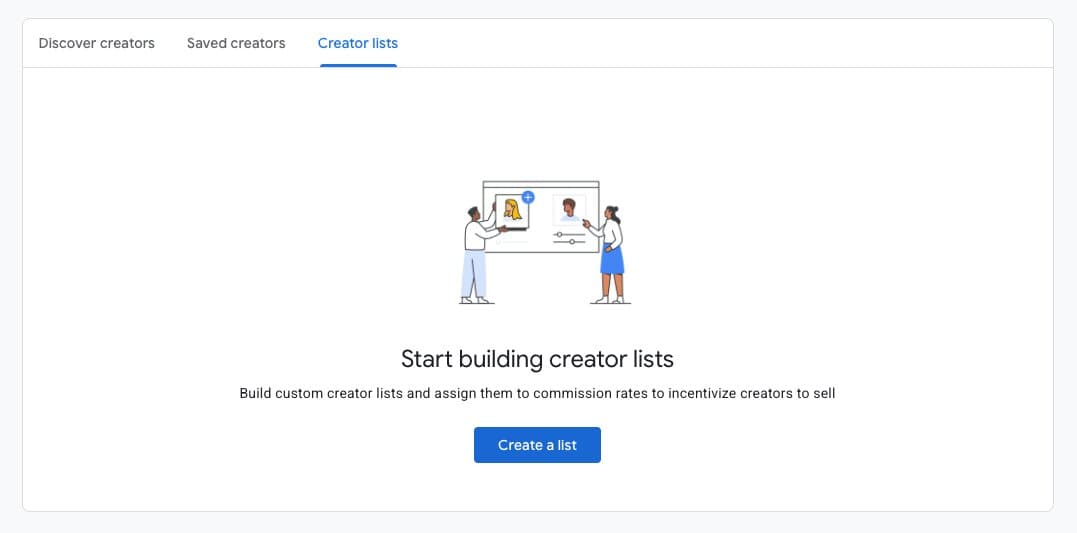
The cleanest taxonomy for most DTC brands segments by partnership stage layered with creator tier:
Custom commission rates must exceed your default rate, can be applied at the creator, category, or product level, and take effect going forward only. Retroactive adjustments aren't supported. For the full rate-setting framework, see the commission rates deep dive.
GMC is not a CRM. Pair every list with a lightweight external tracker (Notion, Airtable, or a dedicated influencer platform) that records outreach date, contract status, content dates, and performance. Use list names inside GMC as your status field so the two systems stay synced.
What creators actually want from you
Rates matter, but they're not why creators say yes to long-term relationships. Most of the creator economy's ongoing grievances with brands come down to four things: unclear briefs, slow payments, rigid scripts, and ghosting.
The brands that build compounding rosters do the opposite:
- A one-page brief beats a four-page deck. Two or three required talking points, a single CTA, and creative freedom on hook, angle, and integration. Creators know their audience's attention patterns better than you do.
- Do the kickoff call. Even when the deal is small. Creators who describe brand partners as "just another email" consistently downgrade those brands in their priority queue.
- Pay on time, every time. Late payments are the single largest structural grievance in the creator economy, and creators talk to each other. The affiliate program's AdSense-backed payout helps on the commission side. Everything outside of that (flat fees, seeding costs, bonuses) needs to hit Net 15 or Net 30.
- Offer a visible path from one-off to ambassadorship. Creators evaluate you against every other brand in their inbox. A clear escalation path (higher commission at volume, priority on seasonal briefs, input on product) is a differentiator.
For seeding: send no-strings product to nano and micro creators with a handwritten note that references specific content they've made. Include a memorable promo code and an explicit opening for paid follow-up. Seeding mid-tier and macro creators with PR packages is usually a waste. Pay them, then seed product as part of the existing paid relationship.
Building relationships that compound
The handoff from one-off deal to ongoing partnership is a brand move, not a creator ask. After a first campaign performs, reach out proactively with specific numbers. Revenue driven. Content that overperformed. Then propose a quarterly cadence, a three-post trial pack, or an ambassador term with escalating commission tiers.
Book the call. Don't negotiate retainers over email.
Long-term management requires light infrastructure:
- A kickoff call for every new partner
- Monthly performance summaries for active creators
- A shared onboarding kit with product specs, approved claims, B-roll, and talking-point bullets (not scripts)
- A private Slack or Discord once your roster passes roughly ten active creators
- A graceful offboarding script for creators who underperform ("budget shifting this quarter, door stays open, you keep founder pricing")
Most underperformance is format or timing, not fit.
Most underperformance is format or timing, not fit. Book a diagnostic call before you cut a creator loose. The creators you treat well in 2026 become the ambassadors, advocates, and product co-conspirators you'll wish you had in 2028.
The window is open.
YouTube Shopping rewards brands that treat the affiliate program as one layer of a relationship strategy, not a cheap performance channel. GMC surfaces the creators. YouTube reveals the real ones. Your lists and commission structure set the economics. Your communication and payment reliability decide whether anyone stays.
The brands that win here build a compact operating system. A prospecting rhythm. A vetting checklist. A tiered list taxonomy with differentiated rates. A partner onboarding kit. A retention cadence. Run it every week. The creators who join early become the roster that compounds.
Most DTC brands haven't started yet. The ones who do this now will have a two-year head start on the brands who start in 2028.
Book a 30-minute YouTube Shopping audit with Feels Like Friday. We'll walk through creator vetting, list architecture, and commission design for your specific category.
Feels Like Friday is the YouTube Shopping agency for DTC brands. We handle creator intelligence, affiliate program architecture, and attribution. See the full stack we manage.